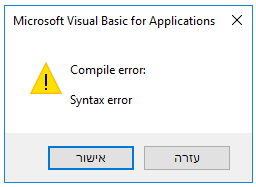
חיפשתי הרבה זמן איך אפשר להתאים אישית את הכפתורים ב MsgBox של Office VBA.
מכיוון שמצאתי מודול מאוד נחמד שעושה את העבודה וגם שיפרתי אותו קצת אני יעלה אותו כאן.
מי שרוצה לשפר את הקוד יש בעיה ב Select Case MsgBox_Style ועשיתי שם טלאי עבור RTL, נשמח לקבל פתרון יותר טוב ויפה.
כדי להשתמש בקוד יש ליצור מודול חדש ולהעתיק את כל הקוד לתוכו.
Option Explicit

' (C) Dan Elgaard (www.EXCELGAARD.dk)

' MsgBox Buttons/Answers ID Constants
Private Const MsgBox_Button_ID_OK     As Long = 1
Private Const MsgBox_Button_ID_Cancel As Long = 2
Private Const MsgBox_Button_ID_Abort  As Long = 3
Private Const MsgBox_Button_ID_Retry  As Long = 4
Private Const MsgBox_Button_ID_Ignore As Long = 5
Private Const MsgBox_Button_ID_Yes    As Long = 6
Private Const MsgBox_Button_ID_No     As Long = 7

' MsgBox Buttons/Answers Text Variables'
Private MsgBox_Button_Text_OK         As String
Private MsgBox_Button_Text_Cancel     As String
Private MsgBox_Button_Text_Abort      As String
Private MsgBox_Button_Text_Retry      As String
Private MsgBox_Button_Text_Ignore     As String
Private MsgBox_Button_Text_Yes        As String
Private MsgBox_Button_Text_No         As String

' Handle to the Hook procedure'
#If VBA7 Then
    Private MsgBoxHookHandle          As LongPtr                                        ' 64-bit handle'
    Private MsgBoxHookHandle2         As LongPtr                                        ' 64-bit handle'
#Else
    Private MsgBoxHookHandle          As Long
    Private MsgBoxHookHandle2         As Long
#End If

'Clip Cursor'
Private Type RECT
    Left As Long
    Top As Long
    right As Long
    bottom As Long
End Type

Enum eVbMsgBoxIconCB
    vbCritical = 16
    vbExclamation = 48
    vbInformation = 64
    vbQuestion = 32
End Enum

Enum eVbMsgBoxStyleCB
    vbApplicationModal = 0
    vbMsgBoxRight = 524288
    vbMsgBoxRtlReading = 1048576
    vbMsgBoxSetForeground = 65536
    vbSystemModal = 4096
End Enum

' Windows API functions'
#If VBA7 Then
    Private Declare PtrSafe Function GetCurrentThreadId Lib "kernel32" () As LongPtr
    Private Declare PtrSafe Function SetDlgItemText Lib "user32" Alias "SetDlgItemTextA" (ByVal hDlg As LongPtr, ByVal nIDDlgItem As LongPtr, ByVal lpString As String) As LongPtr
    Private Declare PtrSafe Function SetWindowsHookEx Lib "user32" Alias "SetWindowsHookExA" (ByVal idHook As LongPtr, ByVal lpfn As LongPtr, ByVal hmod As LongPtr, ByVal dwThreadId As LongPtr) As LongPtr
    Private Declare PtrSafe Function UnhookWindowsHookEx Lib "user32" (ByVal hHook As LongPtr) As LongPtr
    Private Declare PtrSafe Function GetWindowRect Lib "user32" (ByVal hwnd As LongPtr, lpRect As RECT) As Long
    Private Declare PtrSafe Function ClipCursor Lib "user32" (lpRect As Any) As Long
    Private Declare PtrSafe Function GetClassName Lib "user32" Alias "GetClassNameA" (ByVal hwnd As LongPtr, ByVal lpClassName As String, ByVal nMaxCount As Long) As Long
#Else
    Private Declare Function GetCurrentThreadId Lib "kernel32" () As Long
    Private Declare Function SetDlgItemText Lib "user32" Alias "SetDlgItemTextA" (ByVal hDlg As Long, ByVal nIDDlgItem As Long, ByVal lpString As String) As Long
    Private Declare Function SetWindowsHookEx Lib "user32" Alias "SetWindowsHookExA" (ByVal idHook As Long, ByVal lpfn As Long, ByVal hmod As Long, ByVal dwThreadId As Long) As Long
    Private Declare Function UnhookWindowsHookEx Lib "user32" (ByVal hHook As Long) As Long
    Private Declare Function GetWindowRect Lib "user32" (ByVal hwnd As Long, lpRect As RECT) As Long
    Private Declare Function ClipCursor Lib "user32" (lpRect As Any) As Long
    Private Declare Function GetClassName Lib "user32" Alias "GetClassNameA" (ByVal hwnd As Long, ByVal lpClassName As String, ByVal nMaxCount As Long) As Long
#End If


#If VBA7 Then
    Private Function MsgBoxHook(ByVal LM As LongPtr, ByVal WP As LongPtr, ByVal LP As LongPtr) As LongPtr
        SetDlgItemText WP, MsgBox_Button_ID_OK, MsgBox_Button_Text_OK
        SetDlgItemText WP, MsgBox_Button_ID_Cancel, MsgBox_Button_Text_Cancel          ' Not used
        SetDlgItemText WP, MsgBox_Button_ID_Abort, MsgBox_Button_Text_Abort
        SetDlgItemText WP, MsgBox_Button_ID_Retry, MsgBox_Button_Text_Retry
        SetDlgItemText WP, MsgBox_Button_ID_Ignore, MsgBox_Button_Text_Ignore
        SetDlgItemText WP, MsgBox_Button_ID_Yes, MsgBox_Button_Text_Yes
        SetDlgItemText WP, MsgBox_Button_ID_No, MsgBox_Button_Text_No

        Dim tMsgBoxRect As RECT, sBuffer As String * 256, ret As Long

        ret = GetClassName(WP, sBuffer, Len(sBuffer))
        If Left(sBuffer, ret) = "#32770" Then
            GetWindowRect WP, tMsgBoxRect
            With tMsgBoxRect
                .right = .right - 2: .bottom = .bottom - 2
            End With
            ClipCursor tMsgBoxRect 'ClipCursor
        End If
    End Function
#Else
    Private Function MsgBoxHook(ByVal LM As Long, ByVal WP As Long, ByVal LP As Long) As Long
        SetDlgItemText WP, MsgBox_Button_ID_OK, MsgBox_Button_Text_OK
        SetDlgItemText WP, MsgBox_Button_ID_Cancel, MsgBox_Button_Text_Cancel         ' Not used
        SetDlgItemText WP, MsgBox_Button_ID_Abort, MsgBox_Button_Text_Abort
        SetDlgItemText WP, MsgBox_Button_ID_Retry, MsgBox_Button_Text_Retry
        SetDlgItemText WP, MsgBox_Button_ID_Ignore, MsgBox_Button_Text_Ignore
        SetDlgItemText WP, MsgBox_Button_ID_Yes, MsgBox_Button_Text_Yes
        SetDlgItemText WP, MsgBox_Button_ID_No, MsgBox_Button_Text_No

        Dim tMsgBoxRect As RECT, sBuffer As String * 256, ret As Long

        ret = GetClassName(WP, sBuffer, Len(sBuffer))
        If Left(sBuffer, ret) = "#32770" Then
            GetWindowRect WP, tMsgBoxRect
            With tMsgBoxRect
                .right = .right - 2: .bottom = .bottom - 2
            End With
            ClipCursor tMsgBoxRect 'ClipCursor
        End If
    End Function
#End If


Function MsgBoxCB(MsgBox_Text As String, _
                    Button1 As String, _
                    Optional Button2 As String, _
                    Optional Button3 As String, _
                    Optional MsgBox_Style As eVbMsgBoxStyleCB, _
                    Optional MsgBox_Icon As eVbMsgBoxIconCB, _
                    Optional MsgBox_Title As String) As Long

    ' * ' Initialize
    On Error Resume Next

    ' * ' Define variables
    If Button1 = vbNullString Then
        Button1 = Button2
        Button2 = vbNullString
    End If
    If Button2 = vbNullString Then
        Button2 = Button3
        Button3 = vbNullString
    End If

    Dim ButtonsToUse As Long
    ButtonsToUse = vbAbortRetryIgnore
    If Button3 = vbNullString Then ButtonsToUse = vbYesNo
    If Button2 = vbNullString Then ButtonsToUse = vbOKOnly

    Select Case MsgBox_Icon
        Case vbCritical:        ButtonsToUse = ButtonsToUse + MsgBox_Icon
        Case vbExclamation:     ButtonsToUse = ButtonsToUse + MsgBox_Icon
        Case vbInformation:     ButtonsToUse = ButtonsToUse + MsgBox_Icon
        Case vbQuestion:        ButtonsToUse = ButtonsToUse + MsgBox_Icon
    End Select

    Select Case MsgBox_Style
        Case vbApplicationModal:      ButtonsToUse = ButtonsToUse + MsgBox_Style
        Case vbMsgBoxRight:           ButtonsToUse = ButtonsToUse + MsgBox_Style
        Case vbMsgBoxRtlReading:      ButtonsToUse = ButtonsToUse + MsgBox_Style
        Case vbMsgBoxSetForeground:   ButtonsToUse = ButtonsToUse + MsgBox_Style
        Case vbSystemModal:           ButtonsToUse = ButtonsToUse + MsgBox_Style
        Case vbMsgBoxRight + vbMsgBoxRtlReading: ButtonsToUse = ButtonsToUse + MsgBox_Style
    End Select

    If MsgBox_Title = vbNullString Then MsgBox_Title = " Microsoft Office"               ' Default MsgBox title

    Dim MsgBoxAnswer As Long

    ' * ' Set custom buttons texts
    MsgBox_Button_Text_OK = Button1
    MsgBox_Button_Text_Cancel = vbNullString                                            ' Not used
    MsgBox_Button_Text_Abort = Button1
    MsgBox_Button_Text_Retry = Button2
    MsgBox_Button_Text_Ignore = Button3
    MsgBox_Button_Text_Yes = Button1
    MsgBox_Button_Text_No = Button2

    MsgBoxHookHandle = SetWindowsHookEx(5, AddressOf MsgBoxHook, 0, GetCurrentThreadId) ' Set MsgBox Hook

    ' * ' Show hooked MsgBox
    MsgBoxAnswer = MsgBox(MsgBox_Text, ButtonsToUse, MsgBox_Title)

EF: ' End of Function
    UnhookWindowsHookEx MsgBoxHookHandle                                                ' Unhook MsgBox again
    ClipCursor ByVal 0 'Relase ClipCursor
    Select Case MsgBoxAnswer
        Case vbOK:        MsgBoxCB = 1
        Case vbCancel:    MsgBoxCB = 0                                                ' Not used
        Case vbAbort:     MsgBoxCB = 1
        Case vbRetry:     MsgBoxCB = 2
        Case vbIgnore:    MsgBoxCB = 3
        Case vbYes:       MsgBoxCB = 1
        Case vbNo:        MsgBoxCB = 2
    End Select
End Function


Public Property Let MsgboxClipCursor(ByVal Clip As Boolean)
    If Clip Then
        MsgBoxHookHandle2 = SetWindowsHookEx(5, AddressOf MsgBoxClipProc, 0, GetCurrentThreadId)
    Else
        ClipCursor ByVal 0
        UnhookWindowsHookEx MsgBoxHookHandle2
    End If
End Property

#If VBA7 Then
    Private Function MsgBoxClipProc(ByVal LM As LongPtr, ByVal WP As LongPtr, ByVal LP As LongPtr) As LongPtr
#Else
    Private Function MsgBoxClipProc(ByVal LM As Long, ByVal WP As Long, ByVal LP As Long) As Long
#End If

        Dim tMsgBoxRect As RECT, sBuffer As String * 256, ret As Long

        ret = GetClassName(WP, sBuffer, Len(sBuffer))
        If Left(sBuffer, ret) = "#32770" Then
            GetWindowRect WP, tMsgBoxRect
            With tMsgBoxRect
                .right = .right - 2: .bottom = .bottom - 2
            End With
            ClipCursor tMsgBoxRect
        End If
    End Function
כדי לממש את הקוד יש לכתוב את הפקודה כך
MsgBoxCB("Message","Button1","Button2","Button3",vbMsgBoxRight or vbMsgBoxRtlReading, vbInformation, "Title")